From the prompt to the evidence
An extension that checks prompts and files in the browser. A console your team hosts.
A review before the prompt is sent
A matched draft stops in the browser. The employee decides what happens next.
![The shim dialog Edit or mask your prompt, checked on this device. Your draft reads: Here is our config. AWS key AKIAIOSFODNN7EXAMPLE, and ask ali@bank.example before Friday. Beside it, After masking shows the same text with the key replaced by [REDACTED_1] and the email address by [REDACTED_2]. Below are Back, Send edited prompt and Mask and send.](/_astro/review-edit.CiEz2RXB_Q1hvt.png)
- Every edit and mask, against current rules
- Rechecked
- Approval ends with that action
- One send
- Optional Send once explanation
- 500 characters
- Under Require masking and Enforce block
- No override
A policy for every team
Name a policy, assign it to a team or to one browser, and keep every version it ever had.
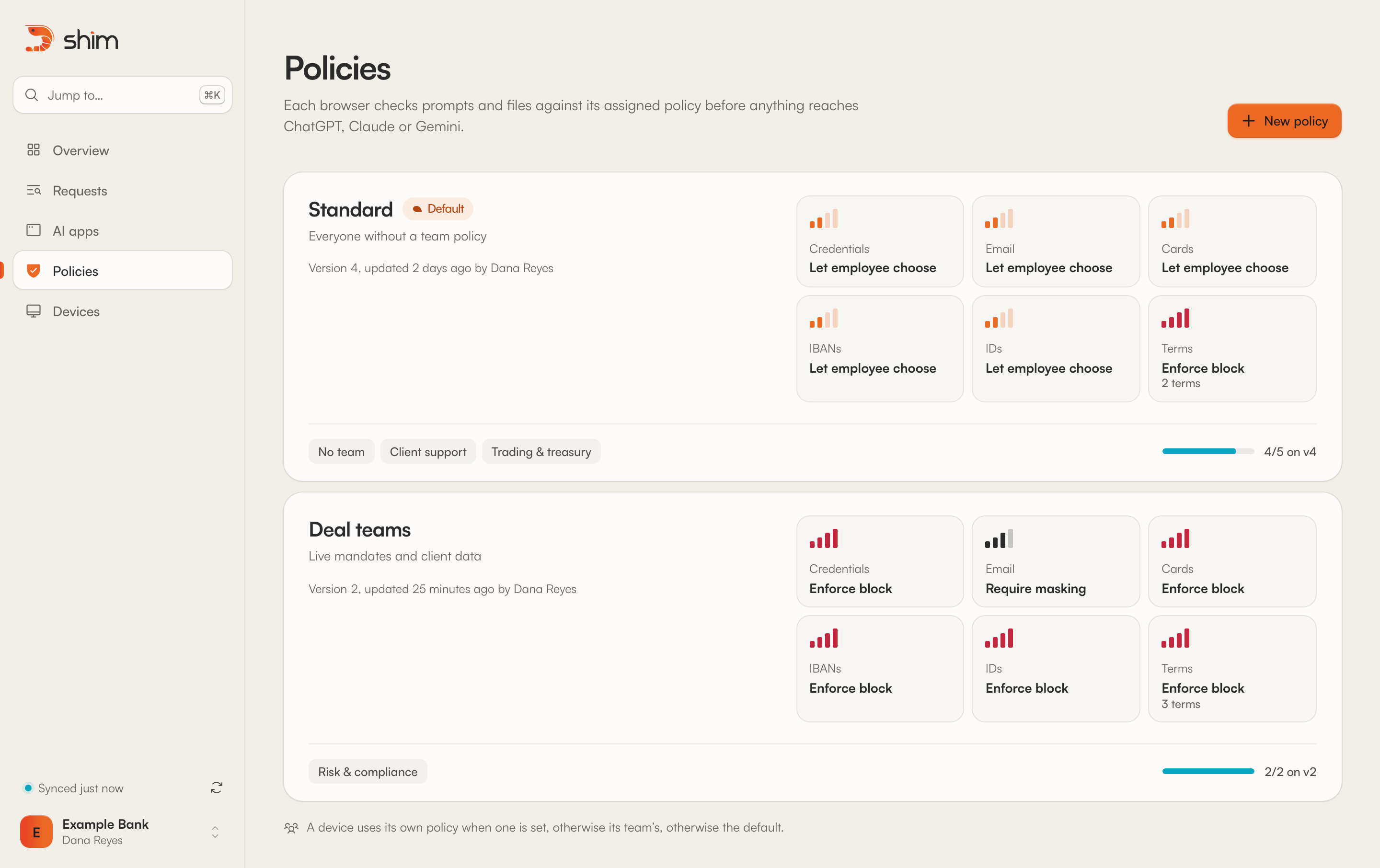
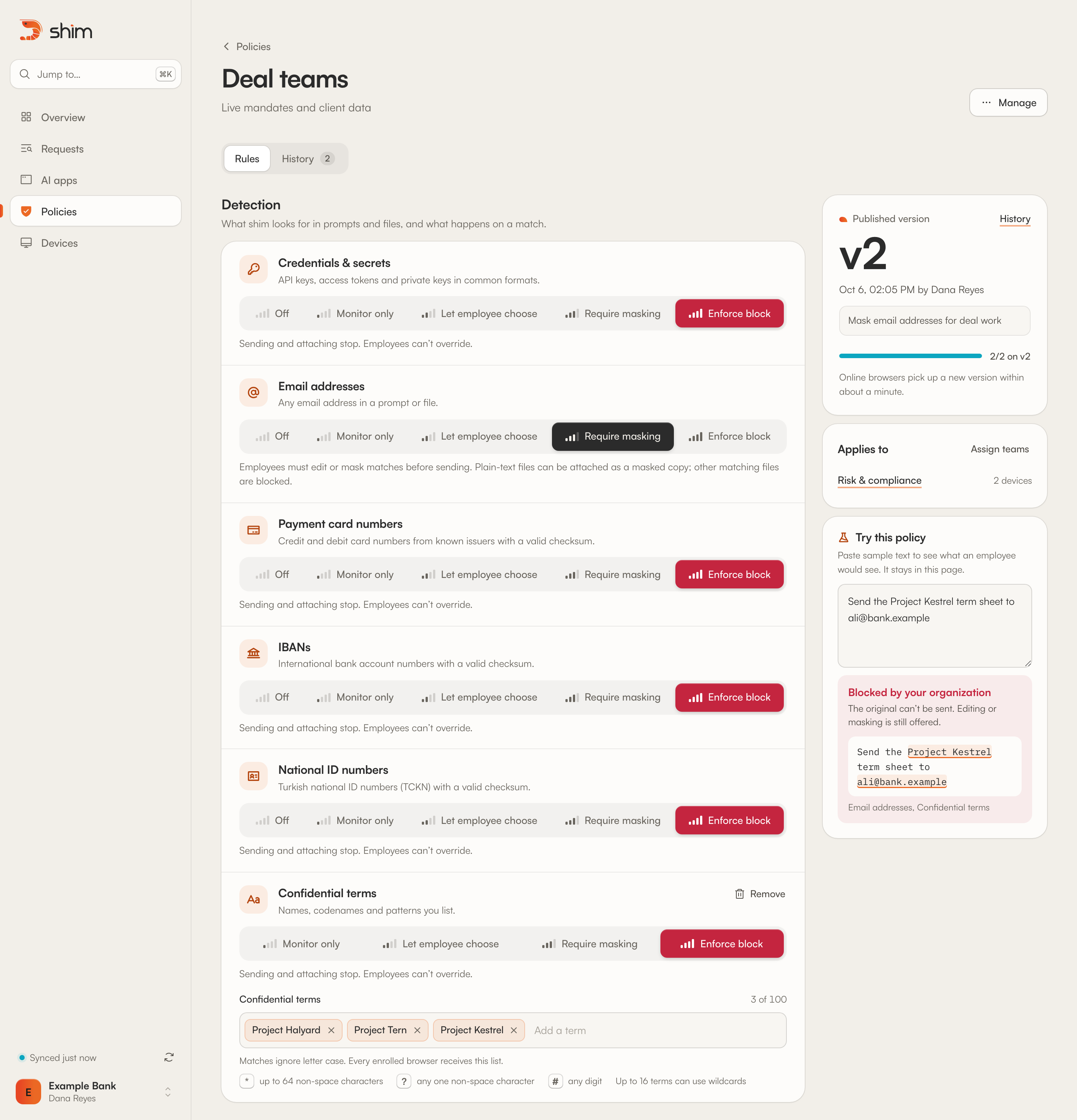
- Or per browser, with a default for the rest
- Per team
- Who published it, why and what changed
- Every version
- Browser policy sync
- 1 minute
- Cached policy valid offline
- 24 hours
Evidence for every matched request
Each match, with its application, device, result and time.
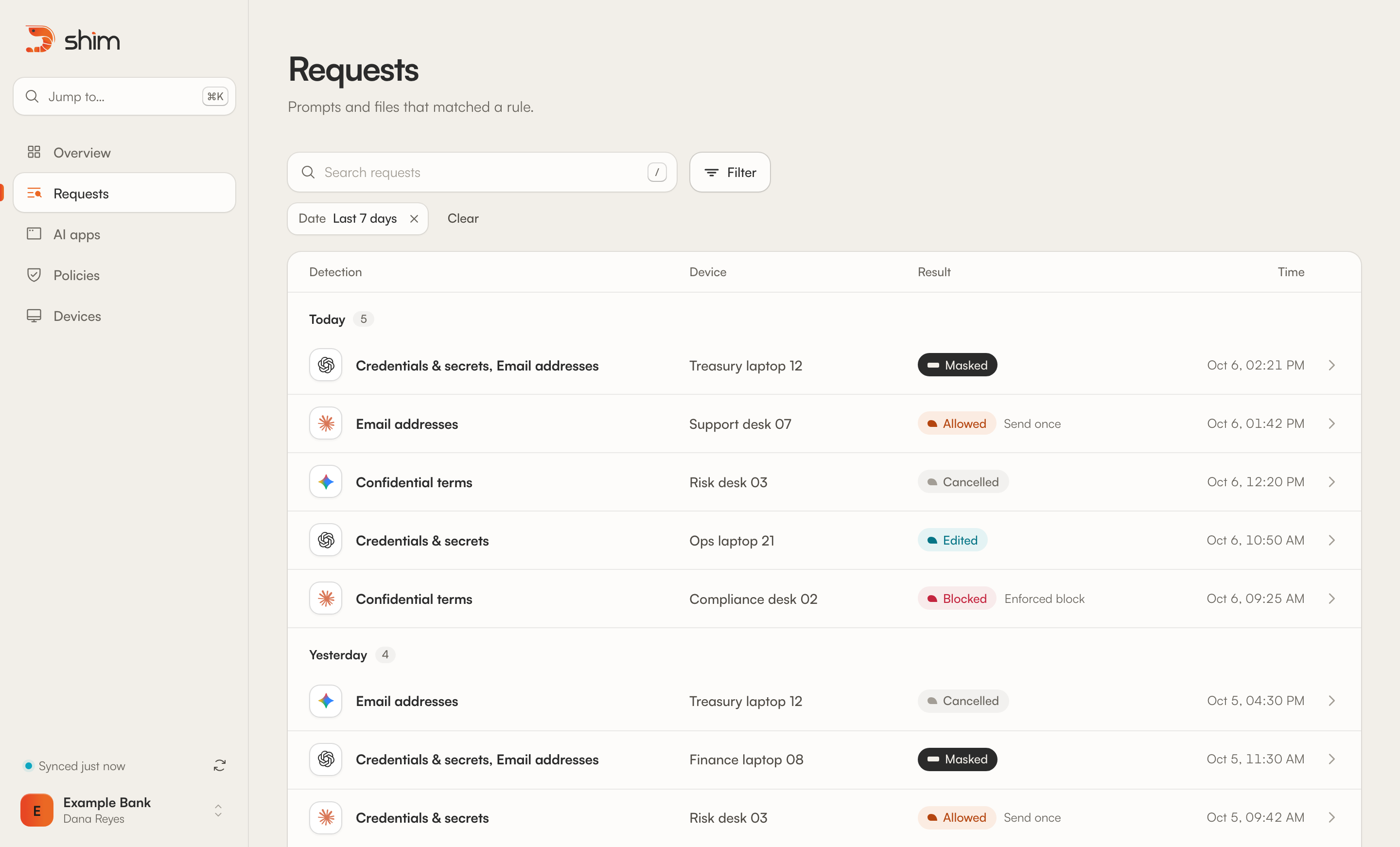
- Per captured prompt version
- 90 days
- Can open prompt text
- Admins only
- In lists, search and filters
- Metadata only
- Step between requests
- J and K
Installed by IT, enrolled one browser at a time
Managed Chrome and Edge. In alpha: managed installation is still being validated.
- Package for Chrome and Edge
- Force-install
- Set apiUrl
- Enroll into a team with a one-time code
- Watch device status
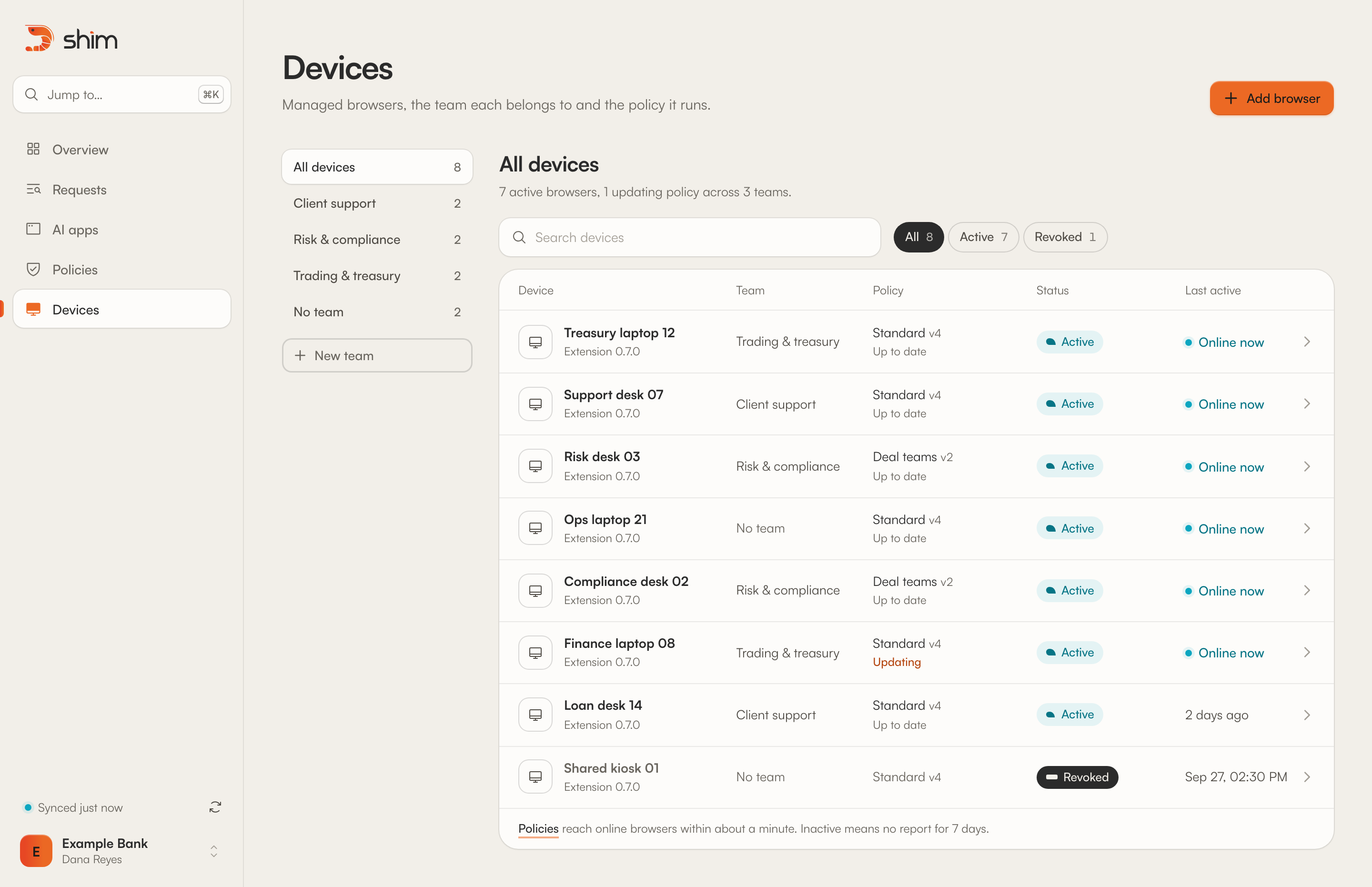
- Each code, used once
- 10 minutes
- Codes can enroll straight into one
- Teams
- Without a report marks a browser inactive
- 7 days
- The one managed setting
- apiUrl